.svg)




Personal task management for founders: Run multiple businesses & life from one app

Most advice on personal task management assumes one job, one office, one country, and one language. If you’re an expat founder or manager, we know that is not true. Your personal life is important.
Personal task management tools for expat entrepreneurs need to solve two problems at once:
- Keep your brain clear and make life easier.
- Coordinate across multiple businesses and frontline teams, often in different languages.
Key takeaways
- Personal task management means capturing, organizing, and finishing your own tasks with one system, not remembering them across a dozen apps.
- The SERP's most recommended personal task apps are Todoist, TickTick, and ClickUp; most are free to start and around $3 to $10 per month on paid tiers (as of September 2026).
- For expats and founders running businesses with frontline teams, pick an app that also handles staff execution, photo proof, and translation, so work and life live in one place.
- Simple rules like 1/3/5 or 3-3-3 help you plan a realistic day inside whatever app you choose.
Personal task management problems expats face
If you’re an expat managing multiple businesses, some of these patterns will feel familiar. For a wider view of what expats build, see our expat business ideas guide.
Context switching without boundaries
You jump from:
- Reviewing construction photos
- Taking a call from the hotel front desk
- Helping a cleaning team with a client issue
- Answering a school email
- Paying a government fee before a deadline
Without good personal task management, this becomes constant mental fatigue and missed follow-ups, which slowly leads to emotional burnout.
Tools scattered across work and life
Typical setup:
- WhatsApp and Telegram for staff and suppliers
- Email for investors, banks, and legal documents
- Google Calendar for meetings
- Random notes apps and Google Docs
- Physical notebooks and sticky notes
- Different to-do apps you start and abandon
Nothing is central, nothing is visual, and nothing works as a true personal system.
Multilingual teams and low-literacy frontline staff
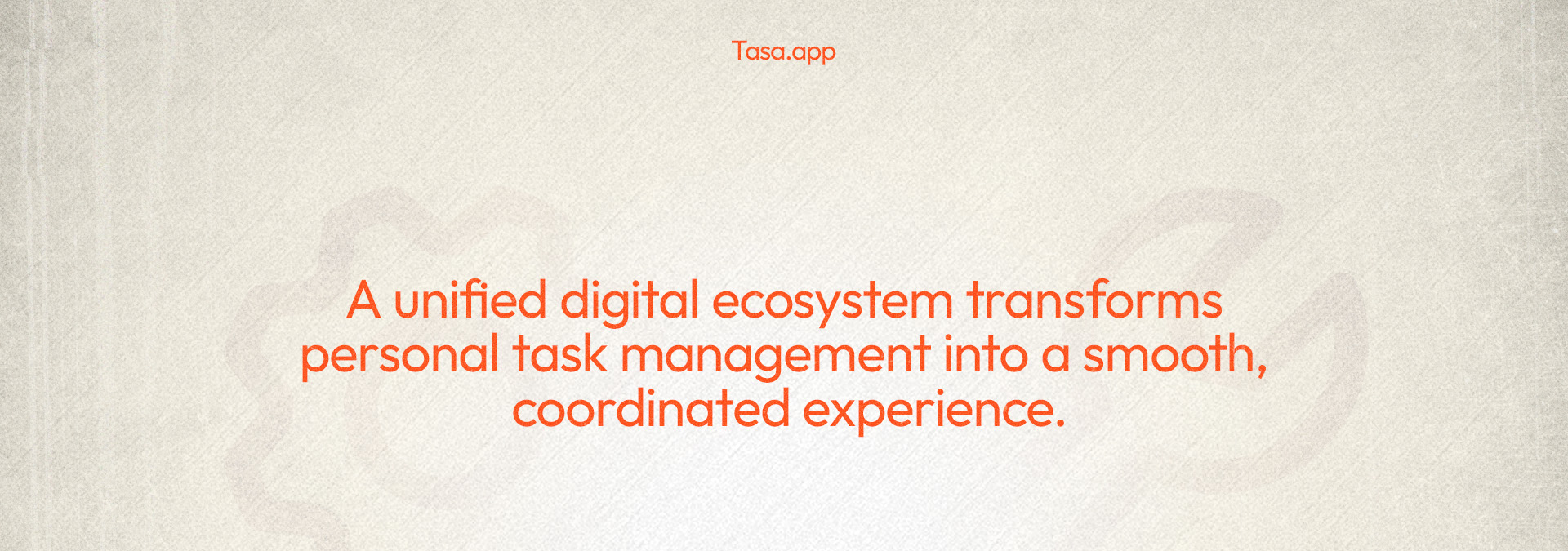
Many expat businesses rely on housekeepers, cleaners, repairmen, and other frontline teams.
They may not:
- Share your first language
- Be comfortable with text-heavy apps
- Use complex tools without training
Yet you need them to execute tasks correctly and report back reliably. Our expat entrepreneur guide covers that coordination challenge in depth.
What good personal task management looks like for expats
For expat founders or managers, a personal task manager should:
- Separate your businesses and personal life into clear workspaces
- Let you switch between those workspaces quickly
- Make tasks visual, not just text
- Help you design repeating patterns (routines, checklists, reporting cycles)
- Work for both you and your frontline staff without extra overhead
- Support multiple languages so staff understand what you mean
Tasa, as both personal task management app and team task app, hits these requirements in a way most solo to-do apps never will.
Key Tasa features that matter for expats
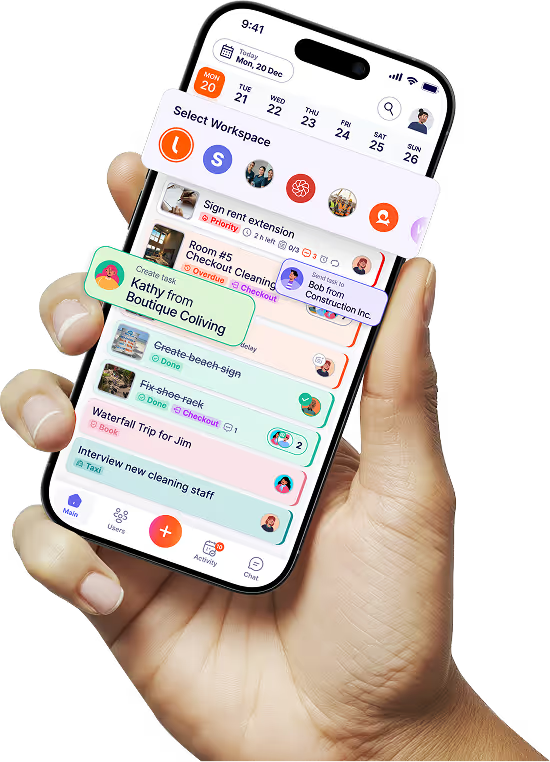
Picture-based tasks for you and your staff
Instead of long text descriptions, Tasa lets you:
- Add photos that show what “done” looks like
- Build checklists that are easy to scan at a glance
- Use icons and visuals so tasks feel lighter and clearer
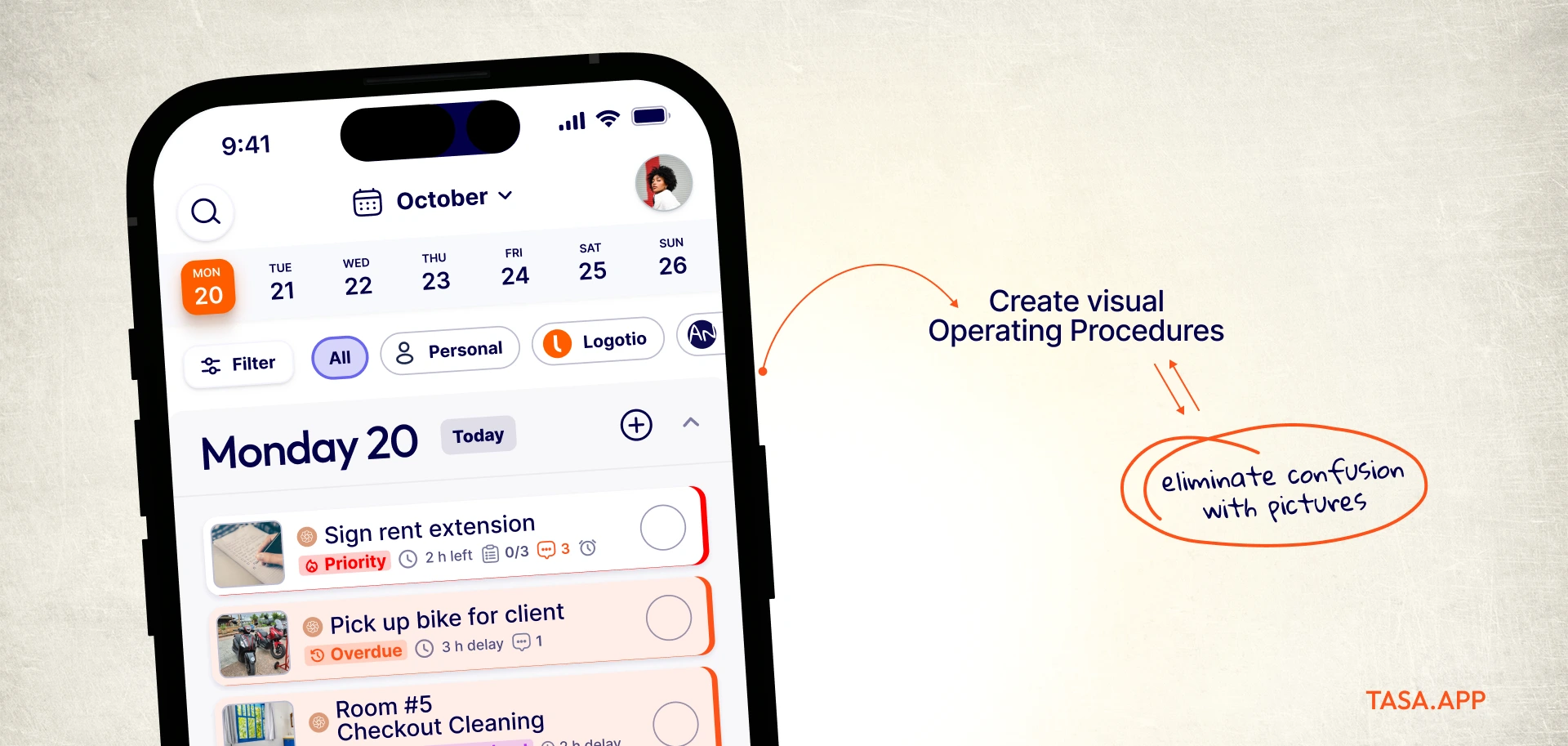
For frontline teams, this means:
- Less reading pressure
- Fewer misunderstandings
- Faster onboarding (new staff can easily get to work)
For you, as an expat or business owner:
- You can judge work from photos, not just words
- You don’t need to be on-site to know what happened
Smart custom repeating patterns (Personal rhythm)
Your life is full of repeating tasks: weekly investor updates, monthly payroll checks, or daily villa inspections.
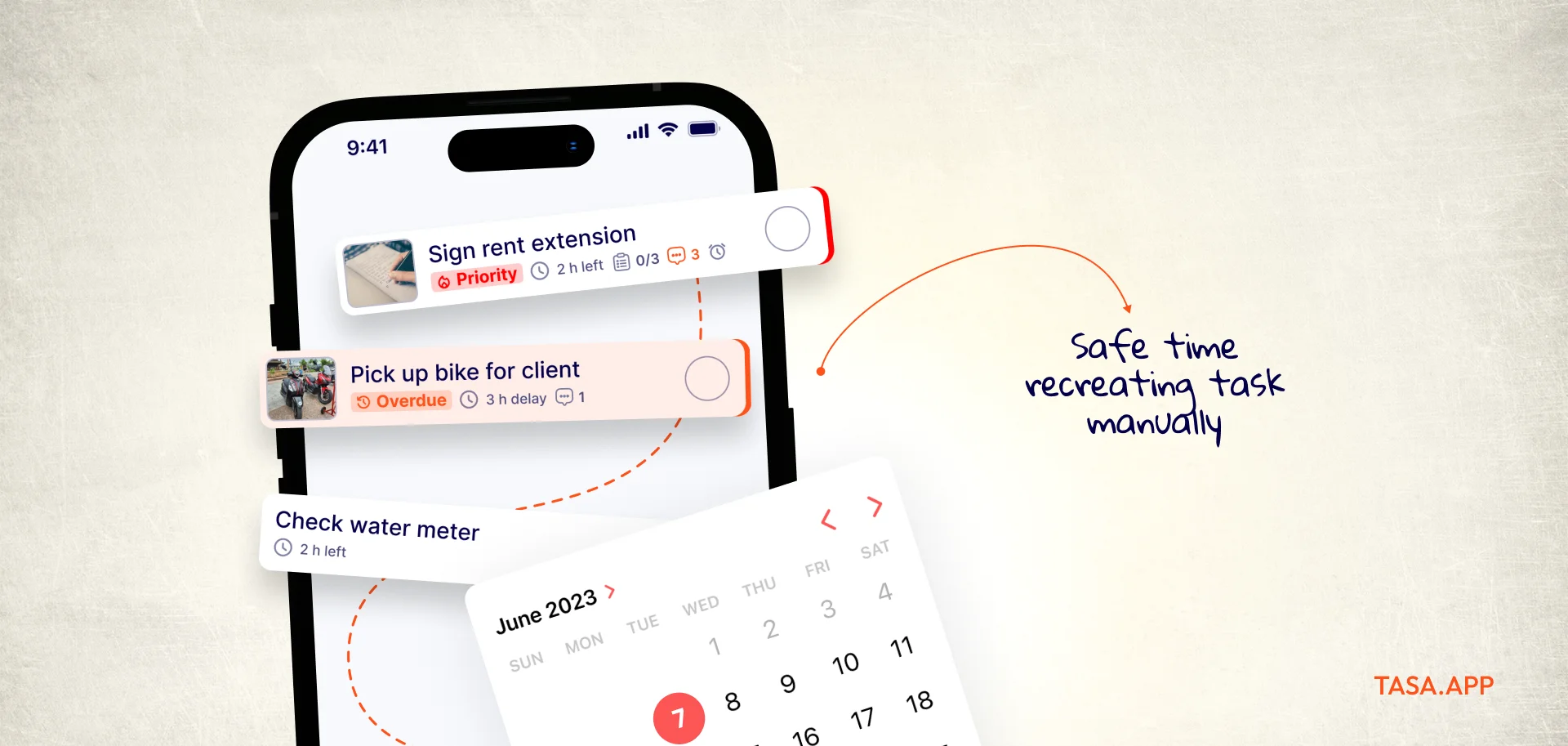
Tasa’s advanced repeat patterns let you:
- Set custom frequencies (e.g., every 2nd Tuesday, every 3 days, end-of-month)
- Build routines in each workspace (business and personal)
- Stop relying on memory for recurring obligations
This is a core piece of expat time management: once routines are built, you review, you don’t reinvent.
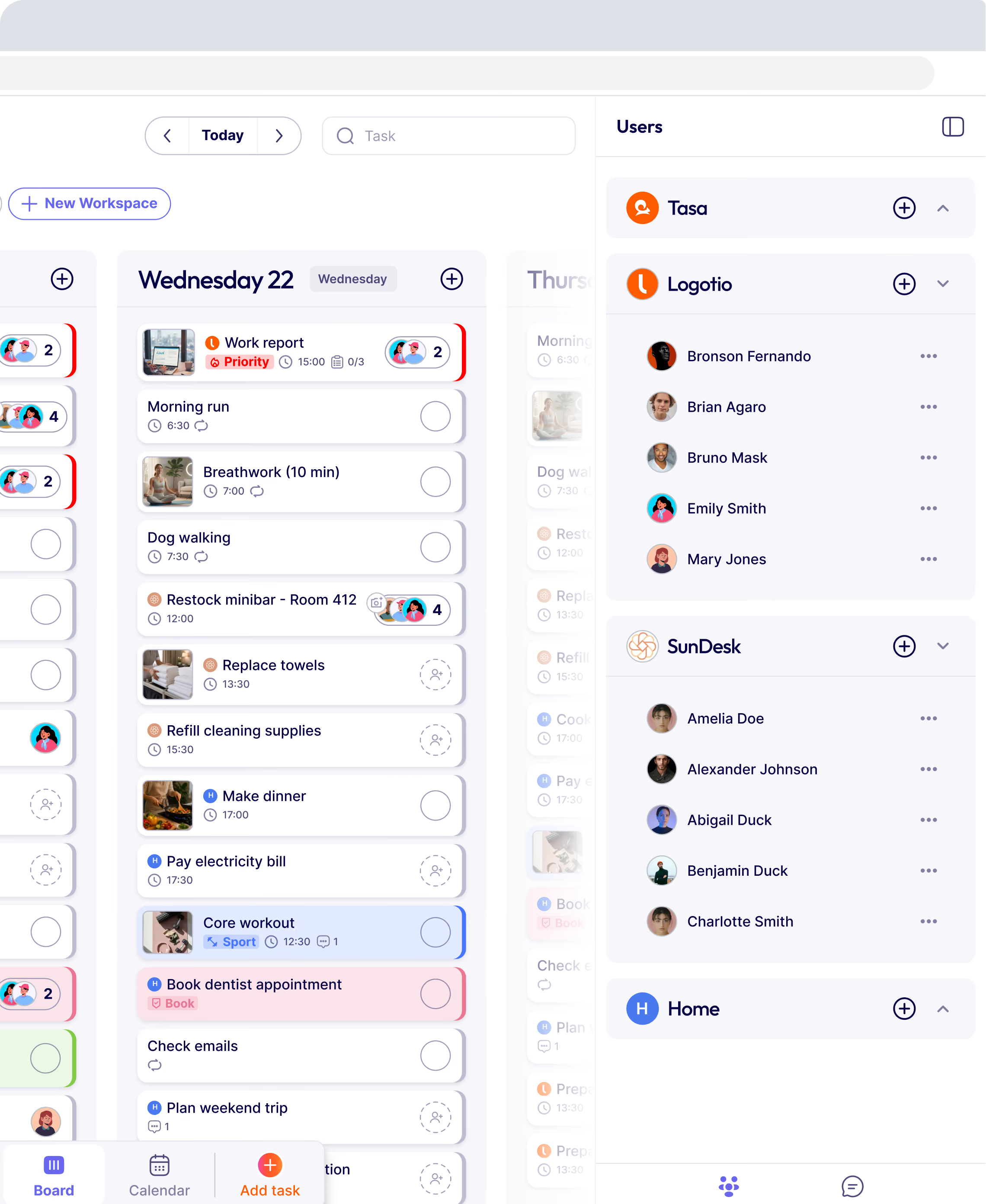
Separate spaces for life and work (smart balance)
For expats with multiple businesses, you extend that idea:
- Life/work separation
- Business A / Business B / Business C separation
- Internal vs client-facing work separation
.webp)
Benefits:
- You don’t see everything at once
- You can close a workspace mentally when you’re off the clock
- You reduce context-switch fatigue, even though you’re still running a lot
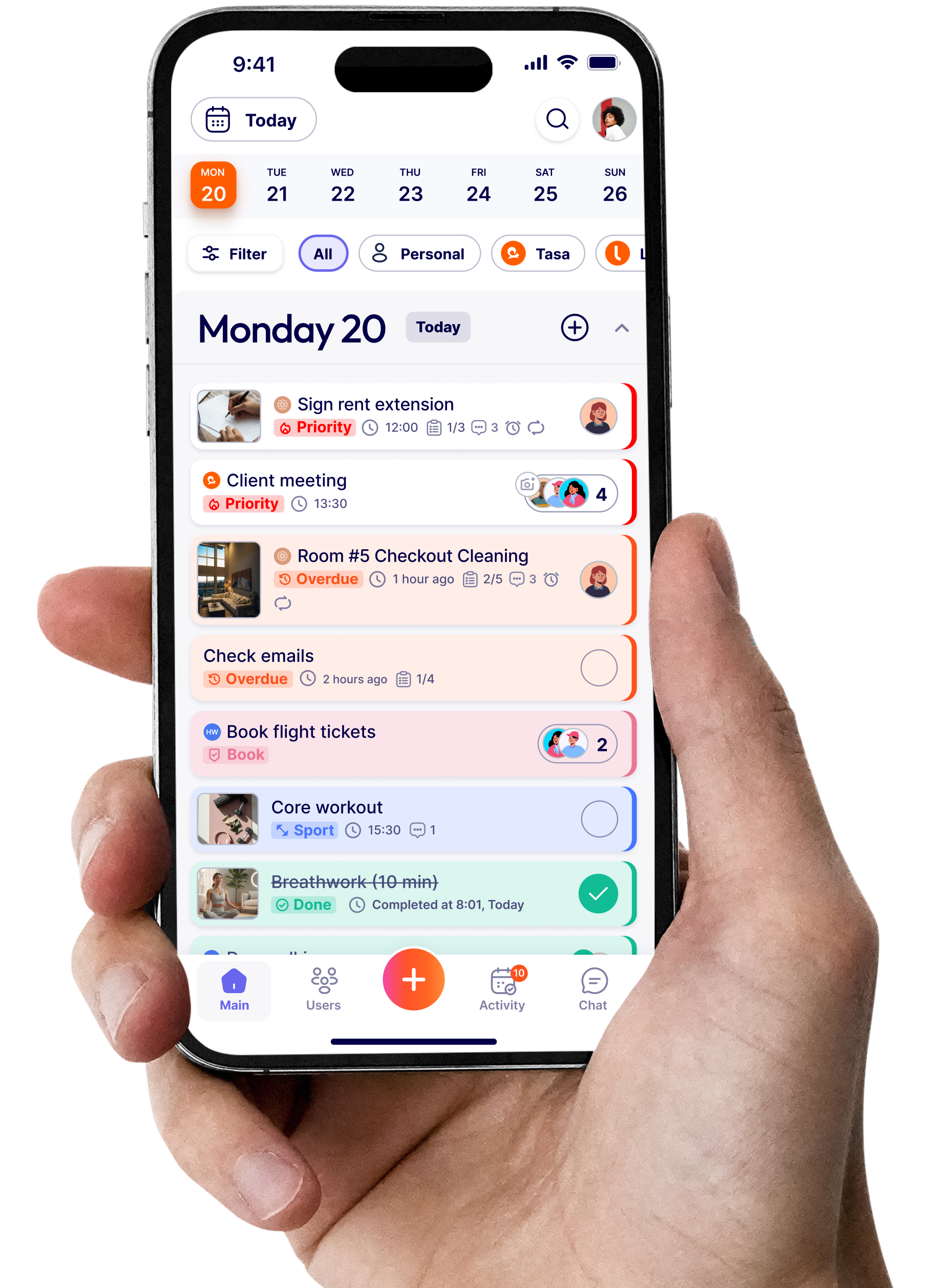
Visual interface that reduces overwhelm
Tasa’s visual interface is designed so you can:
- See tasks at a glance
- Scroll through a clean view instead of walls of text
- Focus on what’s next instead of scanning long lists
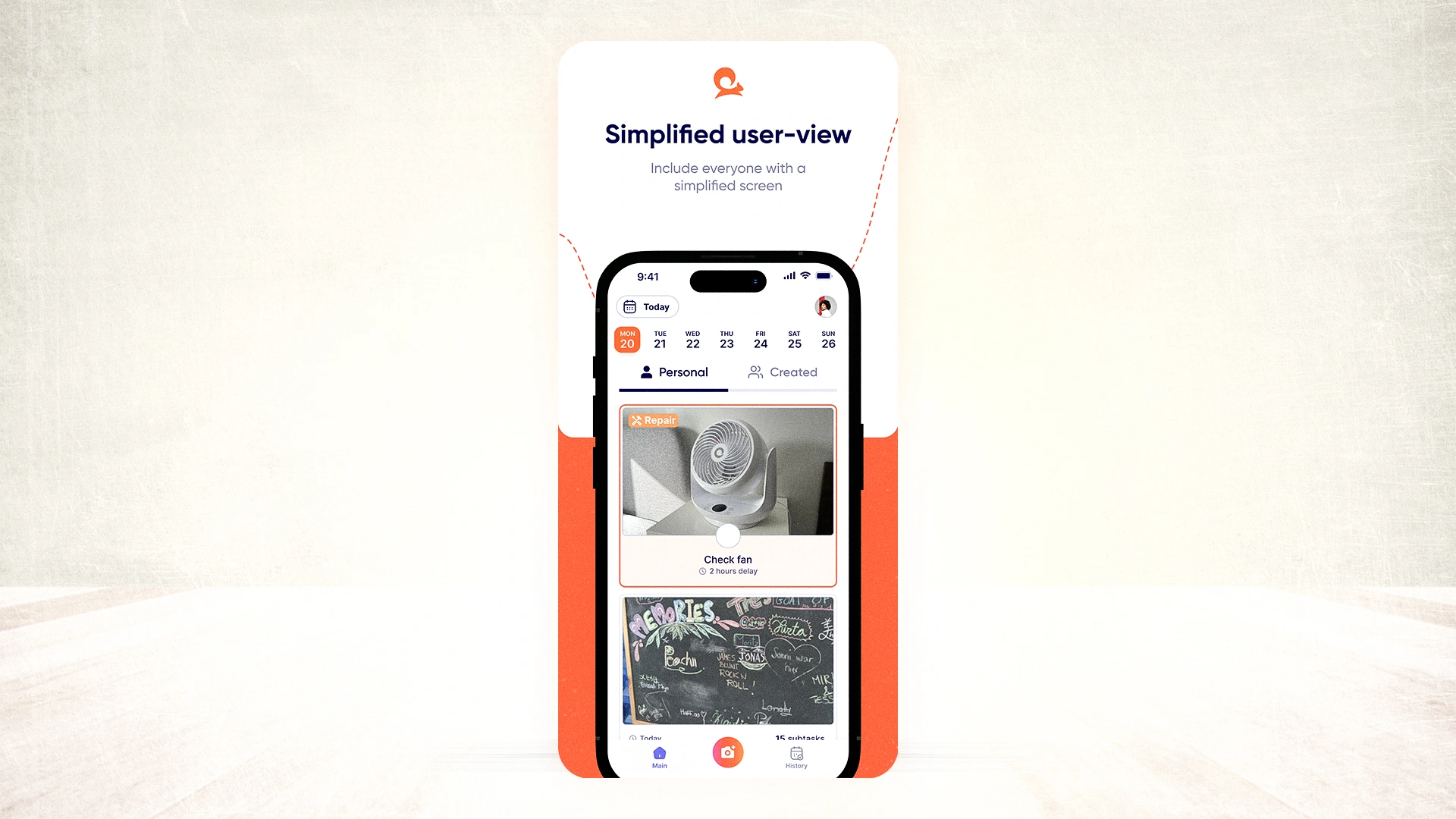
This makes it a strong personal productivity app for busy expats who don’t want to manage a complex system. They just want to see what matters now.
100+ AI live translations
Tasa supports:
- 14+ interface languages (Arabic, Burmese, English, French, German, Spanish, Indonesian, Italian, Portuguese, Polish, Russian, Thai, Ukrainian, Vietnamese)
- AI live translation for tasks, comments, and chat across 100+ languages
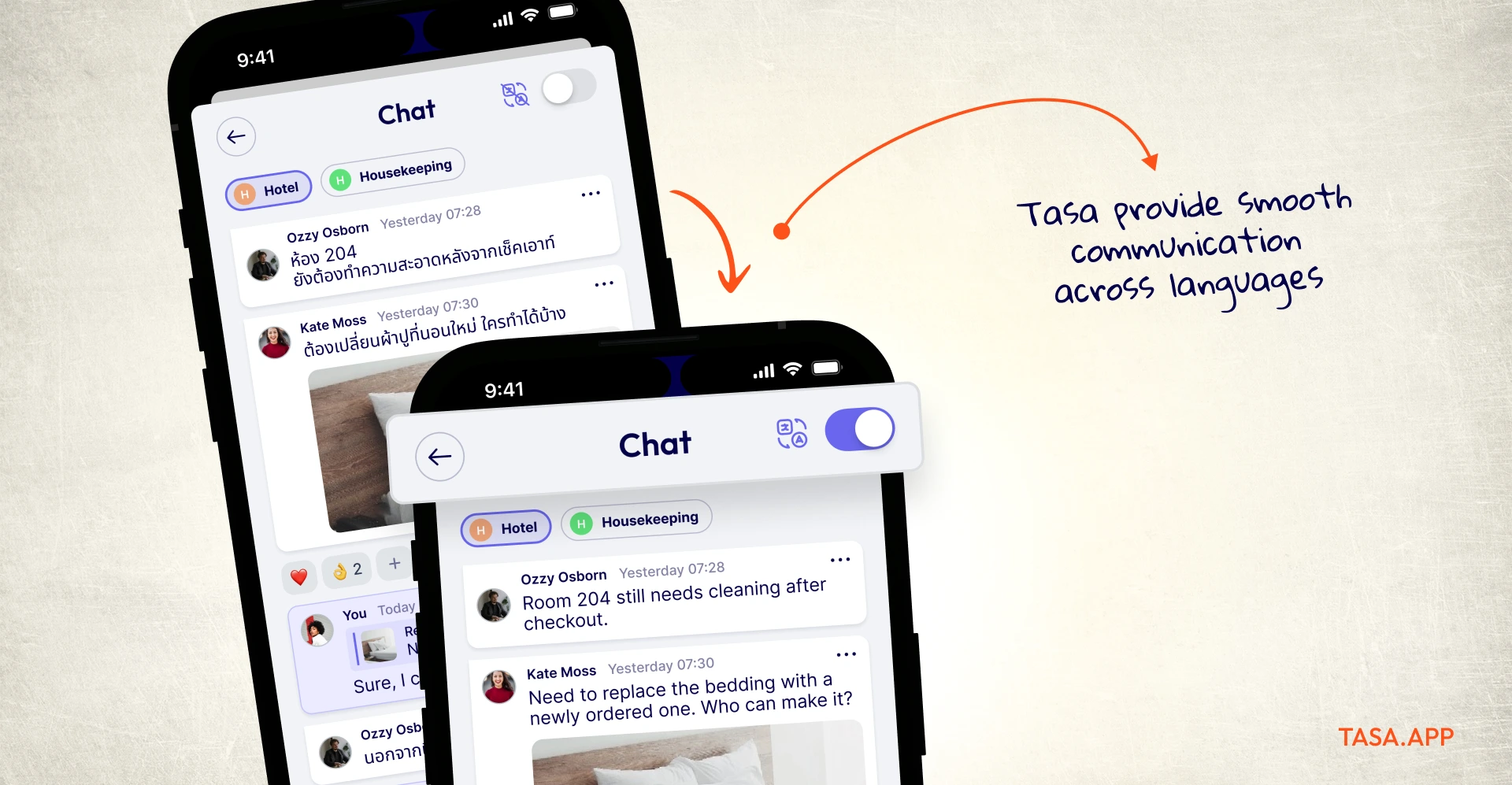
For your personal task management, that means:
- You can run businesses in one language
- Your team sees instructions in their own language
- You still see their updates and questions in yours
This effectively bakes multilingual task management into your personal system, instead of bolting it on through manual translation.
All these features and more Tasa offers in one app, without forcing you to pay for separate tools for personal and business use.
Personal task management tools and apps compared (2026)
If you are comparing personal task management apps, these are the names that keep appearing in 2026 reviews and Reddit threads. Each entry notes what it does best and where it stops, so you can shortlist fast. Pricing is verified against vendor pages as of September 2026.
What is a personal task management app?
A personal task management app is a tool that lets one person capture tasks, organize them by project or due date, set reminders, and check them off. Unlike a team project platform, it centers on your own day: your inbox, your calendar, your energy. The best ones sync across phone and desktop and stay fast enough that you actually keep using them.
Todoist (the default pick)
Todoist is the app most reviewers recommend first for individuals. Natural language input ("call bank every first Monday"), clean projects, and a karma streak that rewards consistency.
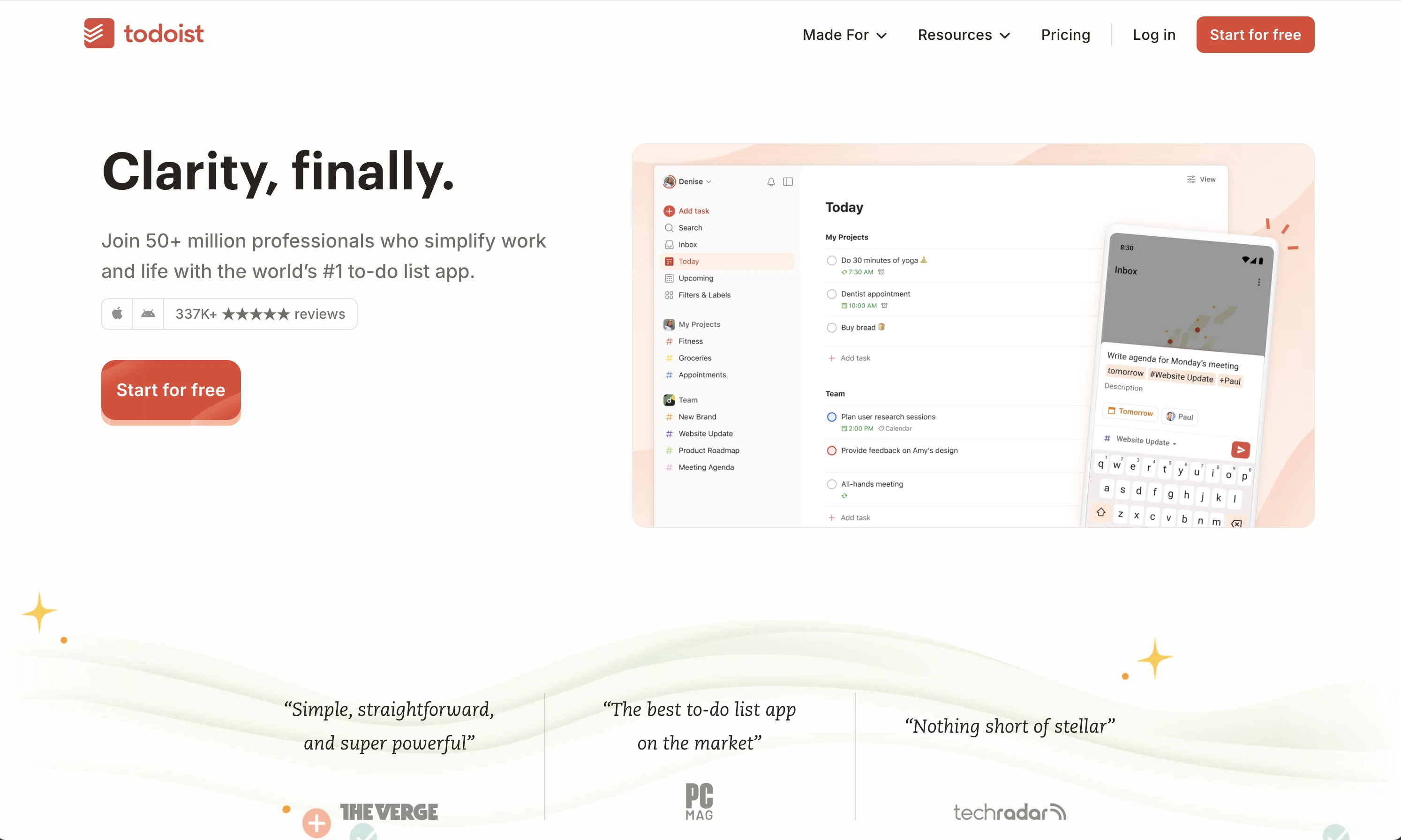
It is free to start; Pro is $7/month or $60/year and Business is $10/user/month on annual billing, per their pricing FAQ.
TickTick (calendar people)
TickTick combines a to-do list with a built-in calendar, habit tracker, and Pomodoro timer.

The free plan does not expire; Premium is $35.99/year (about $3/month annual, $3.99 monthly). It is the strongest pick if you think in a weekly calendar grid rather than lists.
ClickUp (everything-in-one people)
ClickUp gives individuals tasks, docs, goals, and dashboards in one workspace.
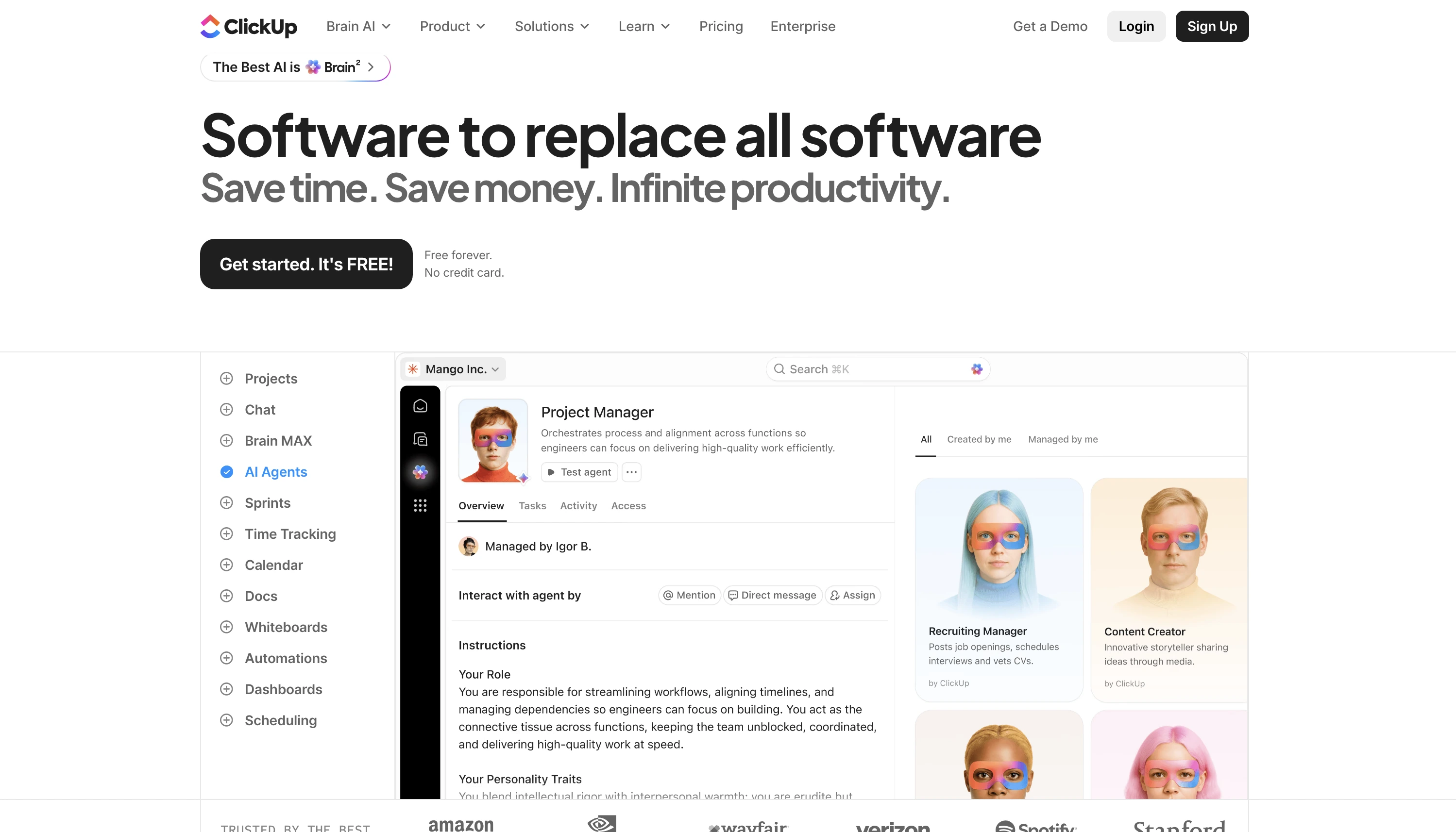
The free plan is generous; paid plans start at $7/user/month billed annually. The tradeoff is complexity: it can feel like running company software for one brain.
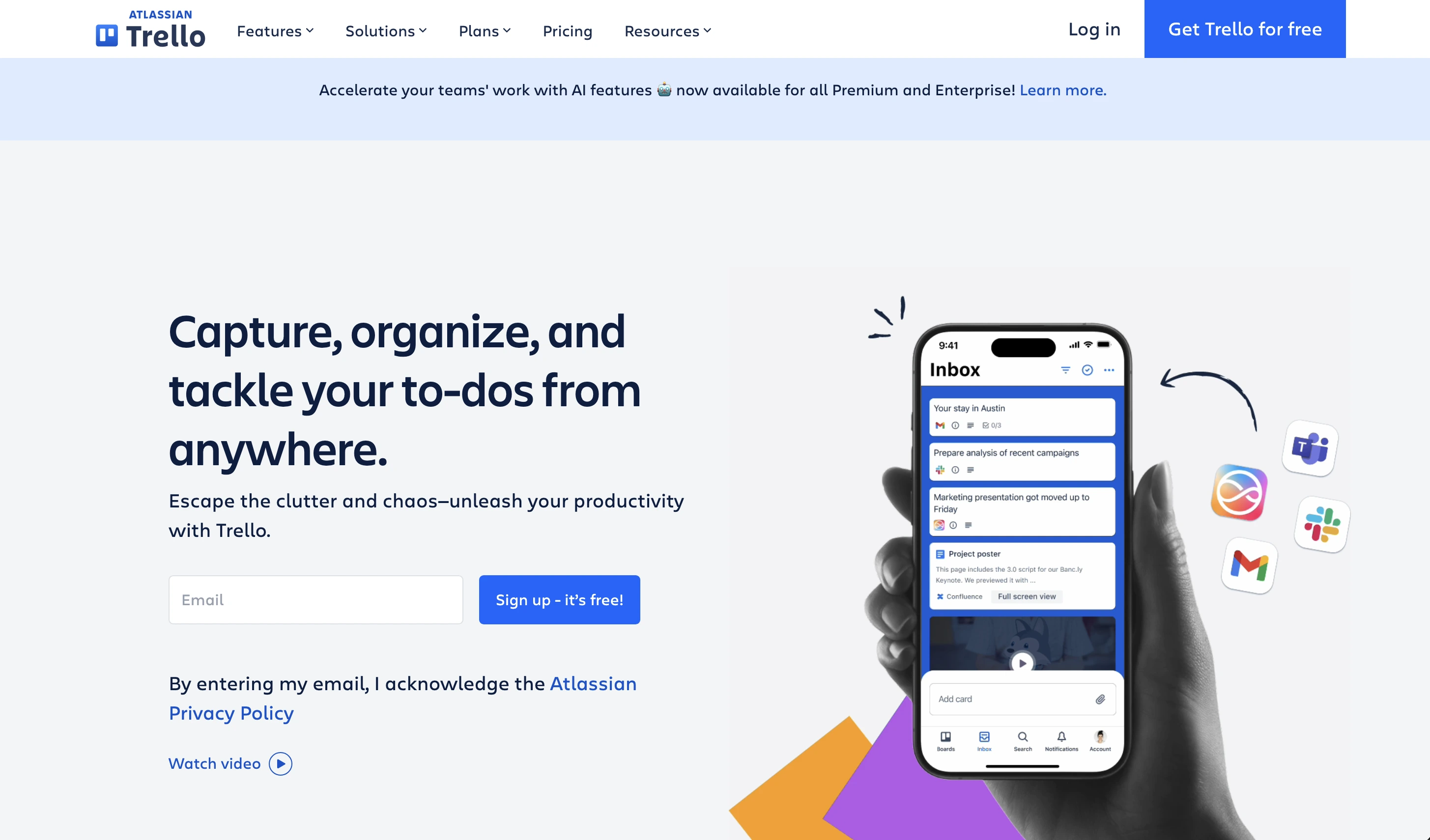
Trello (visual board people)
Trello keeps personal kanban simple with drag-and-drop cards. Free for unlimited cards; Standard is $5/user/month and Premium $10/user/month. It stays a favorite for visual thinkers who want columns like To Do, Doing, Done.
Google Tasks and Microsoft To Do (the free minimalists)
Google Tasks lives inside Gmail and Google Calendar at no cost, and Microsoft To Do is free with a Microsoft account, including My Day planning. Both are excellent capture tools but stop at the basics: no photo proof, no staff, no cross-language anything.
Tasa (personal system plus frontline execution)
Tasa is the odd one out on this list on purpose. It is a personal task management app that also runs the frontline side of your life: picture-based task lists your housekeeper or site crew can actually follow, 100+ AI live translations, and separate workspaces so business A, business B, and family life never blur.
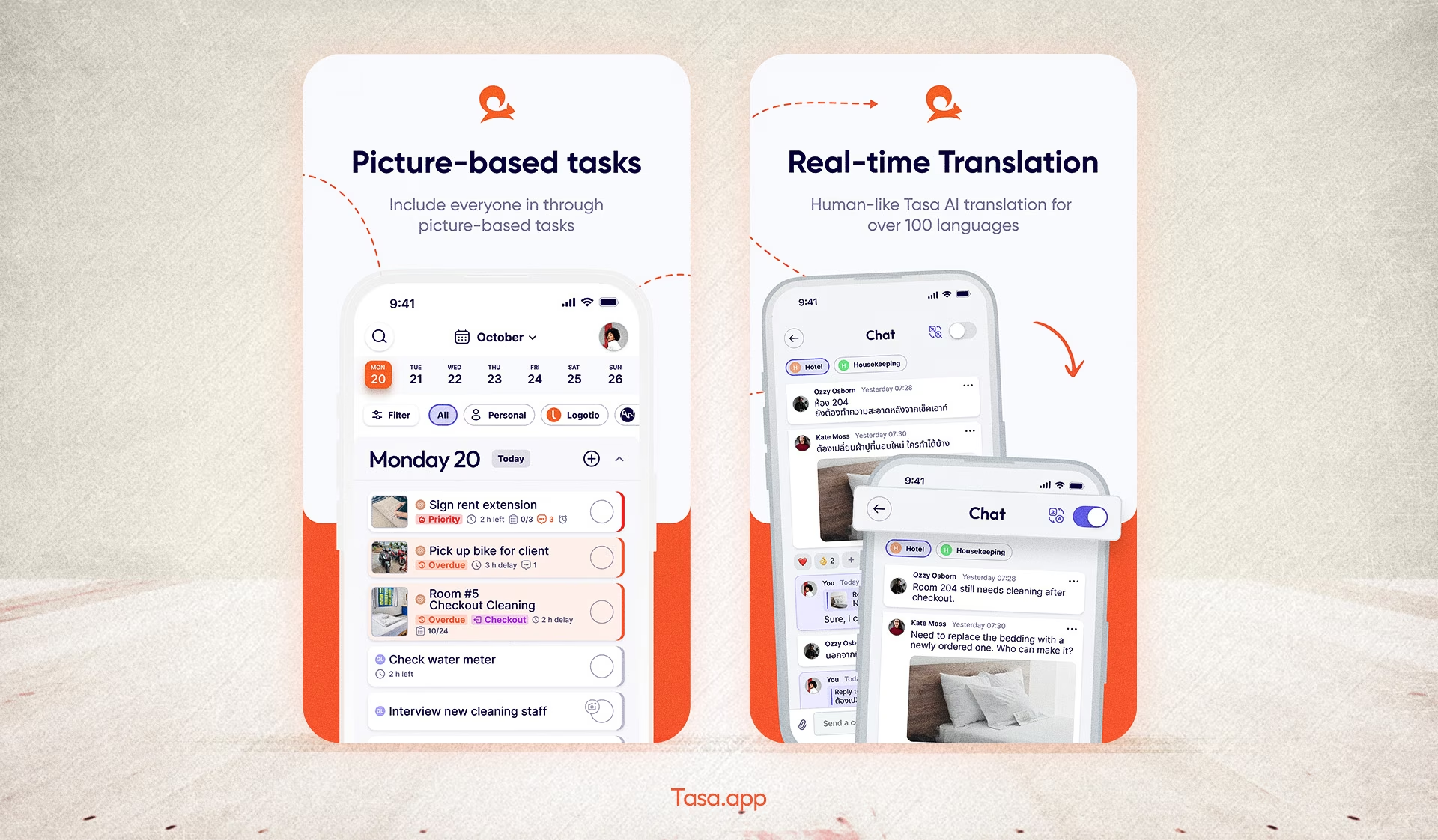
For personal tasks, Tasa is 100% free. For teams and multiple workspaces are paid plans start at $6.40/user/month.
Personal task management tools comparison table
Choosing for your situation
- Just you, phone-first, zero cost: start with Google Tasks or Microsoft To Do.
- Your tasks belong to bigger projects with files and docs: ClickUp or Trello.
- You want one polished personal app and will pay a little: Todoist or TickTick.
- You are an expat founder whose personal list includes staff, sites, and second languages: Tasa.
How to choose the right personal task management app
Features matter less than whether the app survives your week. Test any candidate against these checks:
- Capture speed: can you get a task out of your head in under five seconds, from any device? Your capture workflow decides whether the app survives contact with a real day.
- Trustworthy reminders: due dates and recurring patterns that fire even when you forget to check.
- Room to grow: does it handle projects, notes, or people when your one-person list stops being one-person?
- Exit path: data export to CSV or Google Sheets, so switching apps later does not mean losing your history.
- One week rule: use it as your only system for seven days. If you dodge opening it, it is the wrong app.
What features should you look for in a personal task management app?
- Quick capture of new tasks with natural language or widgets
- Recurring tasks with custom patterns, not just daily or weekly
- Subtasks and checklists for anything with steps
- Due dates, reminders, and notifications you can actually control
- Offline access, because your day does not pause in a basement or on a plane
- Search that finds a task by any word you remember
- Visual overviews: calendar views, boards, or at-a-glance photos
Simple personal task management methods: the 1/3/5 rule and 3-3-3 rule
Apps hold tasks; rules decide which ones get your day. Two lightweight methods dominate personal productivity discussions in 2026.
The 1/3/5 rule
Plan exactly one big task, three medium tasks, and five small tasks per day, nine items total. The point is a finishable day: when the list is done, you stop with a clear conscience instead of rolling an endless backlog into tomorrow.
The 3-3-3 rule
Block three hours of deep work on your most important project, then three shorter tasks (30-60 minutes each), then three maintenance activities such as inbox, messages, and admin. It protects maker time first, which pure to-do lists never do.
Both rules work inside any app above: tag the one big rock, cap the day, and let recurring maintenance run on autopilot with custom repeat patterns.
Personal task management vs project management: what is the difference?
Personal task management organizes the work of one person: your errands, your deadlines, your routines.
While project management coordinates many people, dependencies, and deadlines toward a shared outcome, which is why project tools add assignees, timelines, and approvals.
The overlap is real, and for expat founders the line disappears twice a day: your "personal" reminder to inspect the villa is also someone's work order. That is exactly the case for an app that speaks both languages.
Are there free personal task management tools?
Yes, plenty. Tasa personal task manager, Google Tasks and Microsoft To Do are completely free, and Todoist, TickTick, ClickUp, and Trello all have 100% free plans that never expire.
Latest News

Have questions?
.svg)
Team management, simplified.

“It affects my personal life a lot. I can manage my team and my work remotely, so I have more time being a mother.”
