.svg)




Time and task management: Manage your frontline team the proper way

In reality, time and task management are two different skills. They overlap, but they solve different problems:
- Time management decides when things happen.
- Task management decides what actually gets done.
For remote work, global teams, AI tools, and frontline staff all mixed together, understanding that difference matters a lot.
Key takeaways
- Time management and task management are not the same. Time answers “when”; tasks answer “what.”
- In 2026, with remote, hybrid, and frontline teams, using both intentionally is critical.
- Calendars and planners are your time tools. Task boards and apps are your work tools.
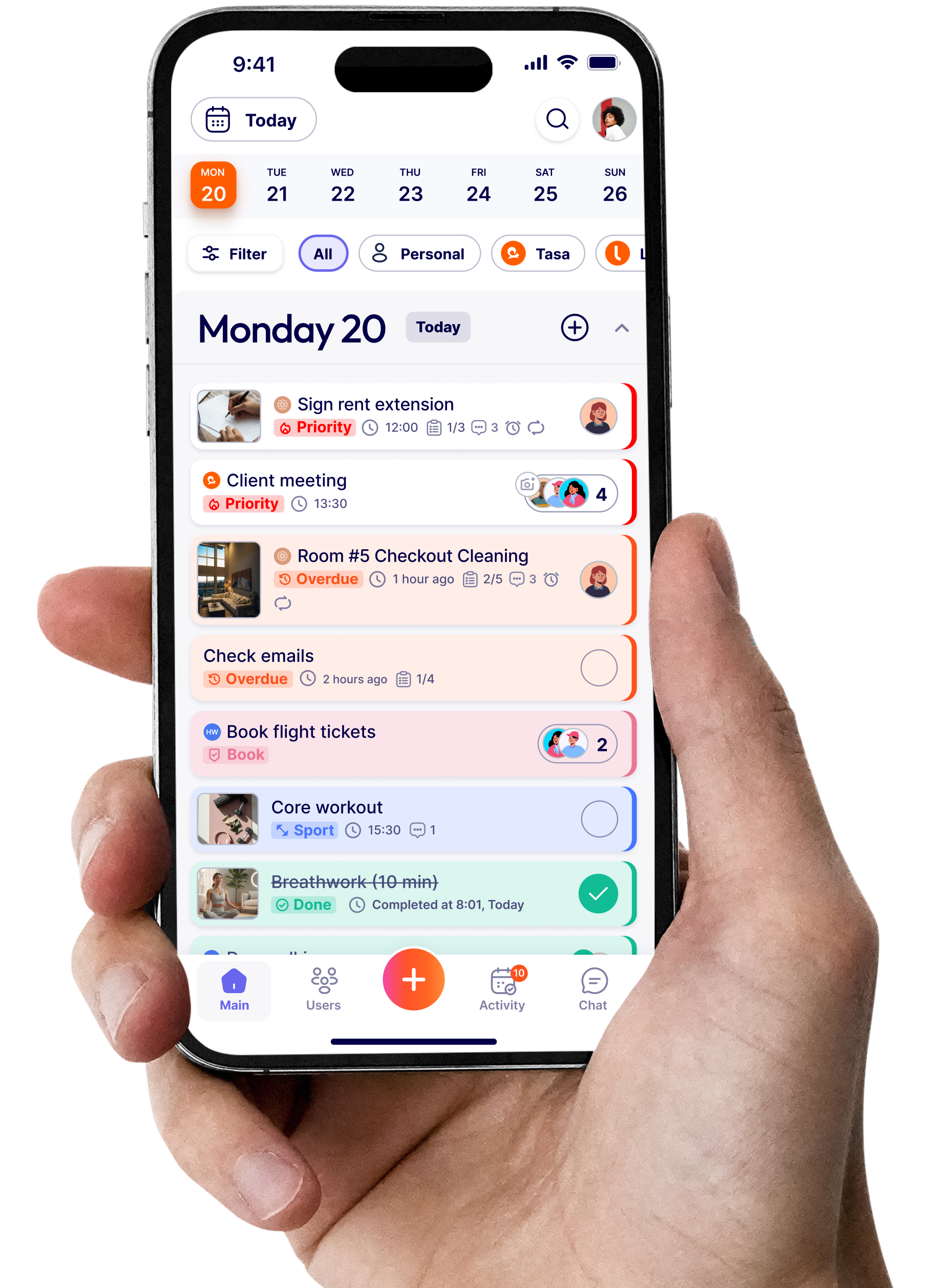
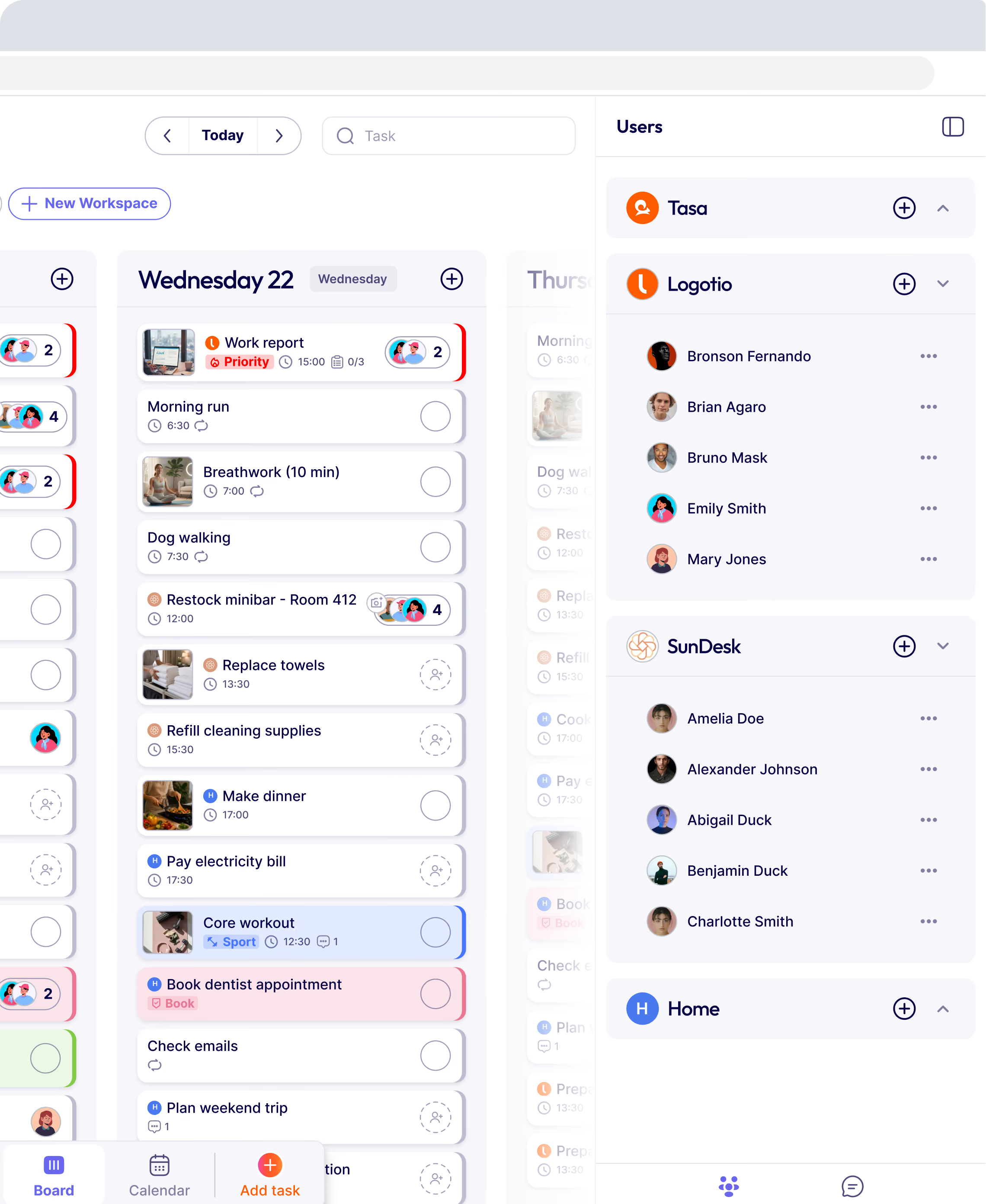
- Tasa focuses on the task side for real‑world teams: picture‑based tasks, live translation, smart repeats, and photo proof.
- The best systems do not try to cram everything into one screen. They use the right tool for each job and connect them through clear processes.
What are time management and task management?
Let’s get the definitions clear.
Time management is how you plan and control your hours and minutes. It covers:
- Scheduling meetings and shifts
- Blocking time for focused work
- Deciding how much time to spend on each type of activity
- Protecting your calendar from chaos
It answers: “When am I doing what?”
Task management is how you organize, prioritize, and track specific pieces of work. It covers:
- Writing down what needs to be done
- Breaking big goals into smaller tasks
- Assigning tasks to people
- Tracking progress and completion
It answers: “What exactly needs to be done, and by whom?”

Why people mix up task & time management
People blur time and task management because:
- Many tools try to do both (calendar + tasks + chat + notes in one place).
- Interfaces look similar (lists, boards, dates, priorities).
- In daily life, you often move between scheduling and doing without thinking about it.
The risk is this:
- You feel “busy” because your calendar is full, but key tasks are still not done.
- Or you have a great task list but never make time to actually do the work.
Here is a quick comparison to clarify:
“Efficiency is doing things right; effectiveness is doing the right things”
Peter Drucker
Does the difference between time and task management matter?
Today’s reality adds extra complexity:
- Remote and hybrid work
- Global teams across time zones and languages
- AI tools that auto‑schedule meetings, assign tasks, and send reminders
- Frontline workers who don’t sit at desks at all
Your calendar and task list often sync, but that doesn’t mean they are solving the same problem.
If you only manage time: Your days are full, but your biggest tasks might stay untouched.
If you only manage tasks: You have a beautiful list, but no realistic plan for when things will happen.
To get real results, you need both.
According to time management statistics, most professionals report higher stress when planning and execution are mixed up in one place.
How time and task management work together
Think of a simple example: running a small construction project or a cleaning business.
Time management:
- Schedules shifts
- Books a slot for a site visit
- Blocks time for deep cleaning versus light cleaning
Task management:
- Defines exact steps of “prep the room” or “check safety equipment”
- Assigns those steps to specific workers
- Tracks which tasks are done, which are late, and which need rework
If you schedule a “cleaning shift” but never define tasks, staff may guess and miss things. If you define perfect tasks but never schedule enough time or people, nothing gets completed on time.
Both are needed. But they don’t live in the same place mentally:
- Time management is thinking in blocks and slots.
- Task management is thinking in steps and outcomes.
Examples of time and task management tools
Most tools lean more toward one side, even if they claim to cover both.
The important questions are:
- Is this tool helping me plan my time?
- Is this tool helping me manage my tasks?
Tasa fits clearly on the task management side, especially for local teams.
Why Tasa is best for local team task management
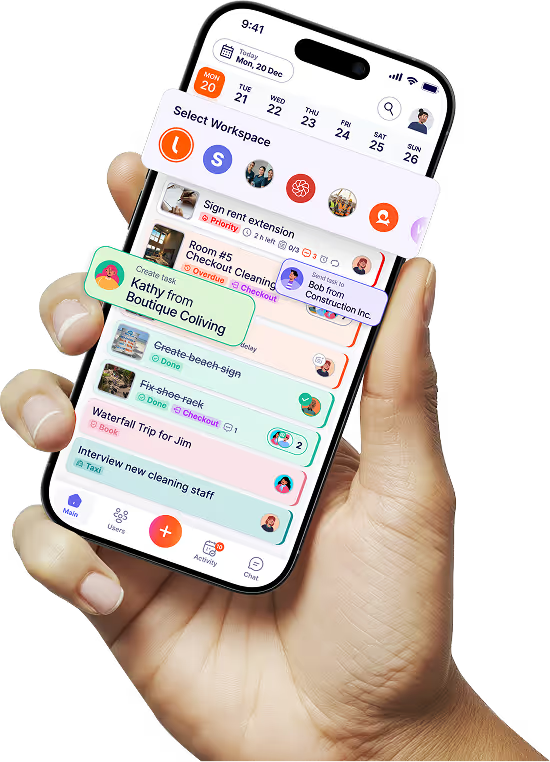
Tasa focuses on making tasks clear and executable for people working on the field and off-desks, especially when:
- There's a need for accountability
- They don’t all share a language
- They don’t all sit at computers
It does this with four key ideas:
Picture‑based tasks
Tasa lets you create tasks using photos and short text:
- Show a photo of a properly cleaned room, not just “clean room.”
- Show a stocked shelf or correct display, not just “restock.”
- Show how equipment should be set up, not just “prepare machine.”
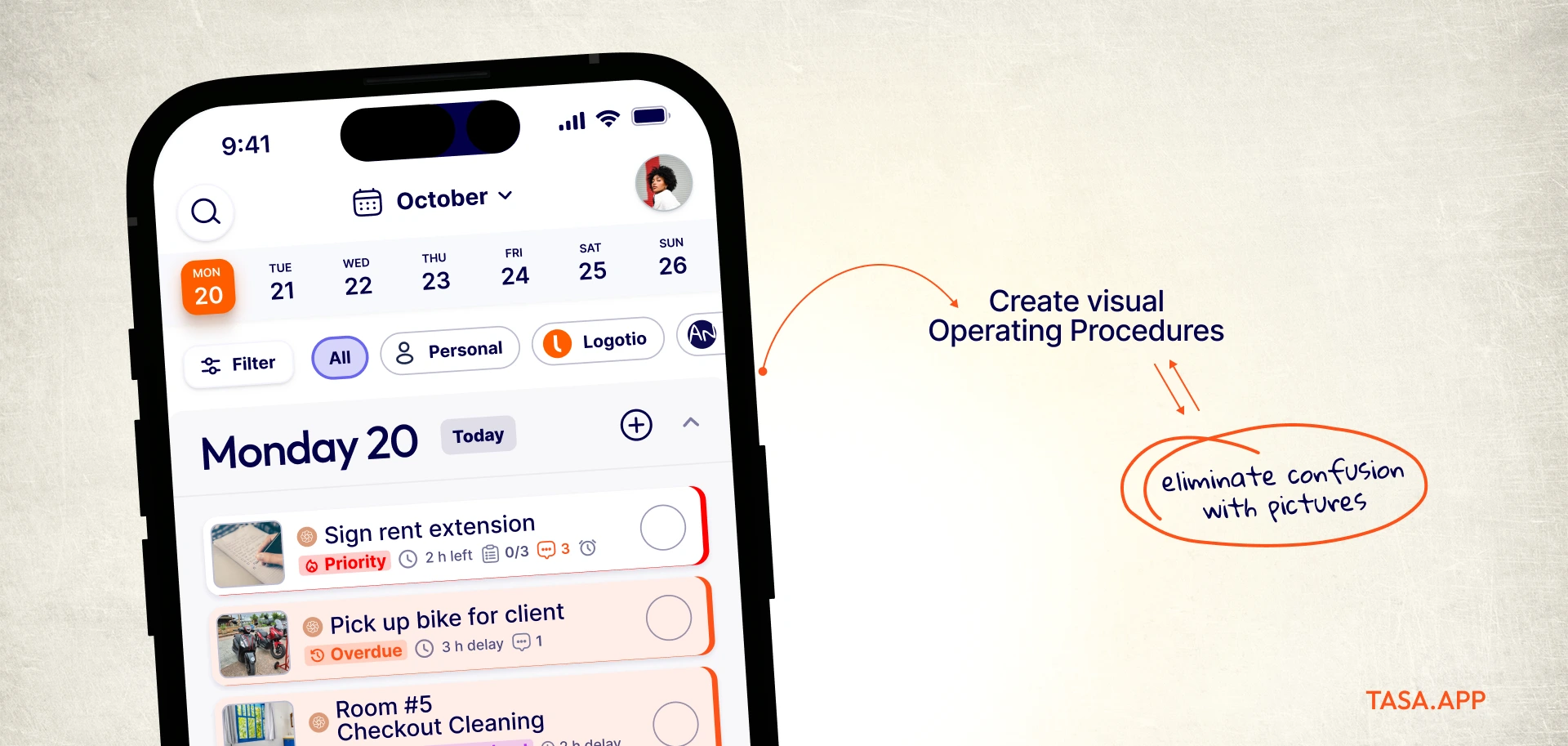
Workers see what “done” looks like. This is much easier than reading paragraphs of instructions.
AI real-time translation
Tasa translates tasks and comments into more than 100 languages. A manager writes in English or another language; workers see instructions in their own language.
That is task management for multilingual teams:
- No second app needed for translation.
- No relying on one bilingual staff member to explain everything.
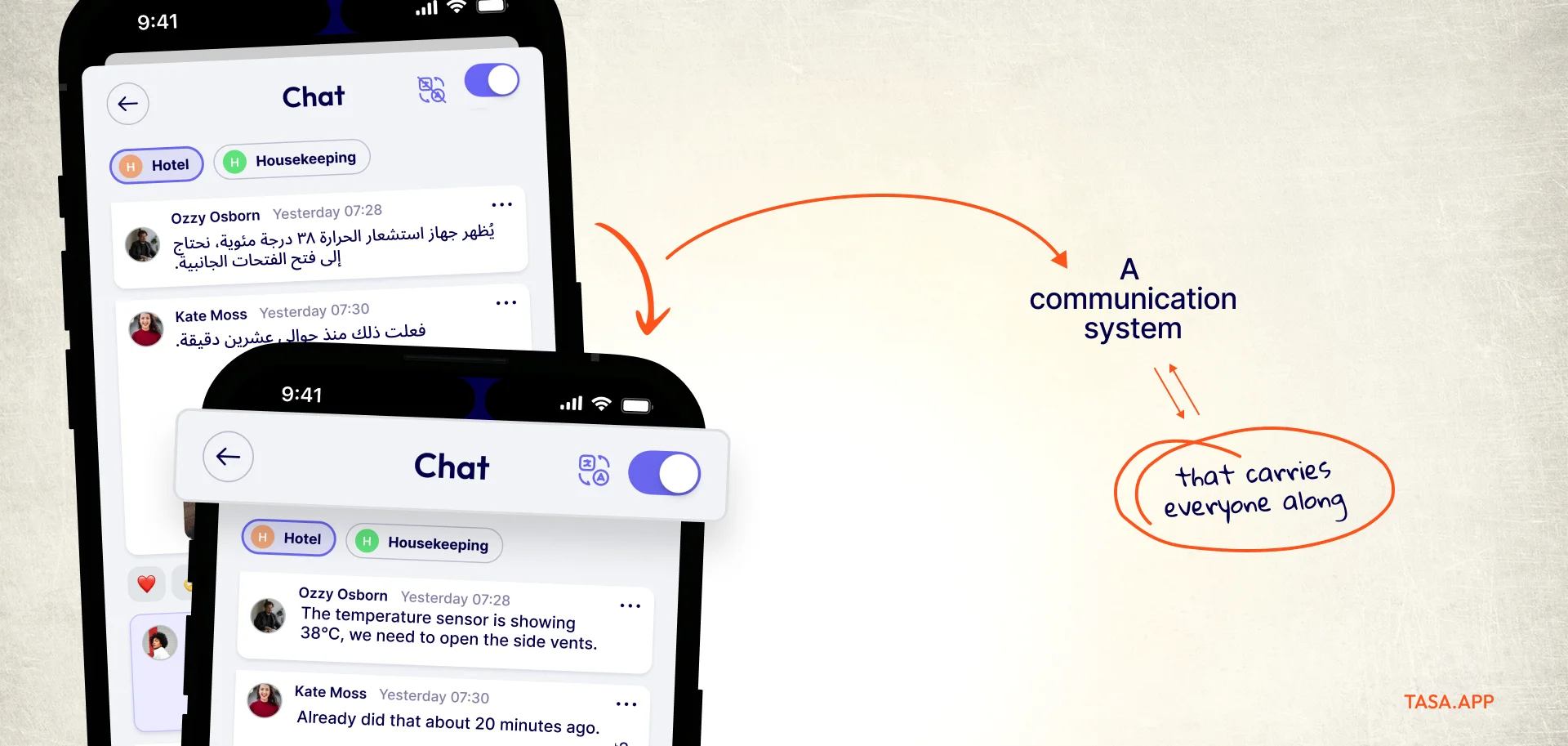
Photo proof of completion
In Tasa, you can require a photo before a task is marked complete:
- Housekeeper sends picture proof of the bathroom and bedroom.
- Technician sends a picture of repaired equipment.
- Retail staff send shelf photos or temperature logs.
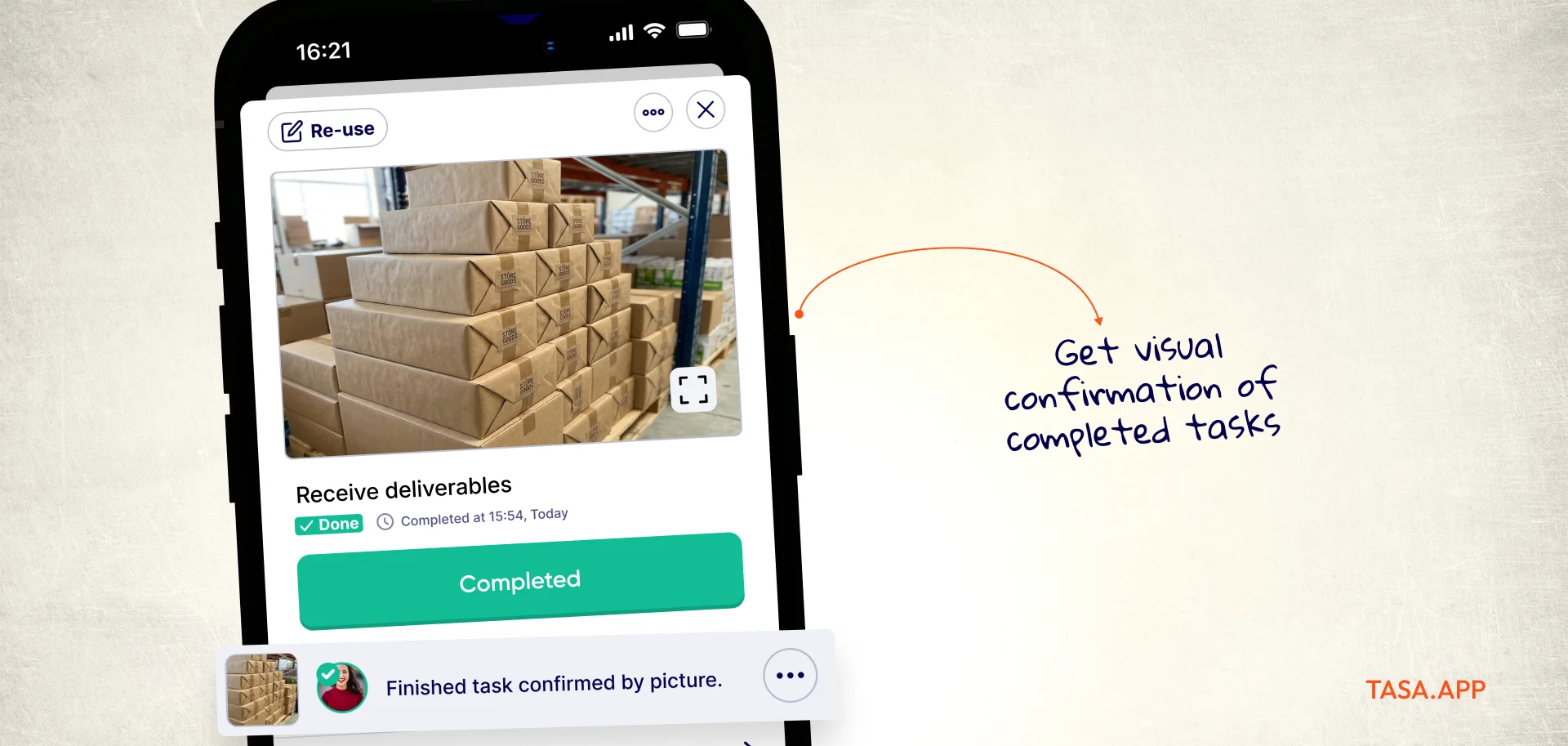
Managers or clients can see proof from anywhere. That’s task management with verification, not just checkboxes.
Smart repeat patterns
Tasa’s repeat patterns handle daily, weekly, and seasonal routines:
- Daily open/close tasks
- Weekly deep cleans or inspections
- Monthly checks and audits
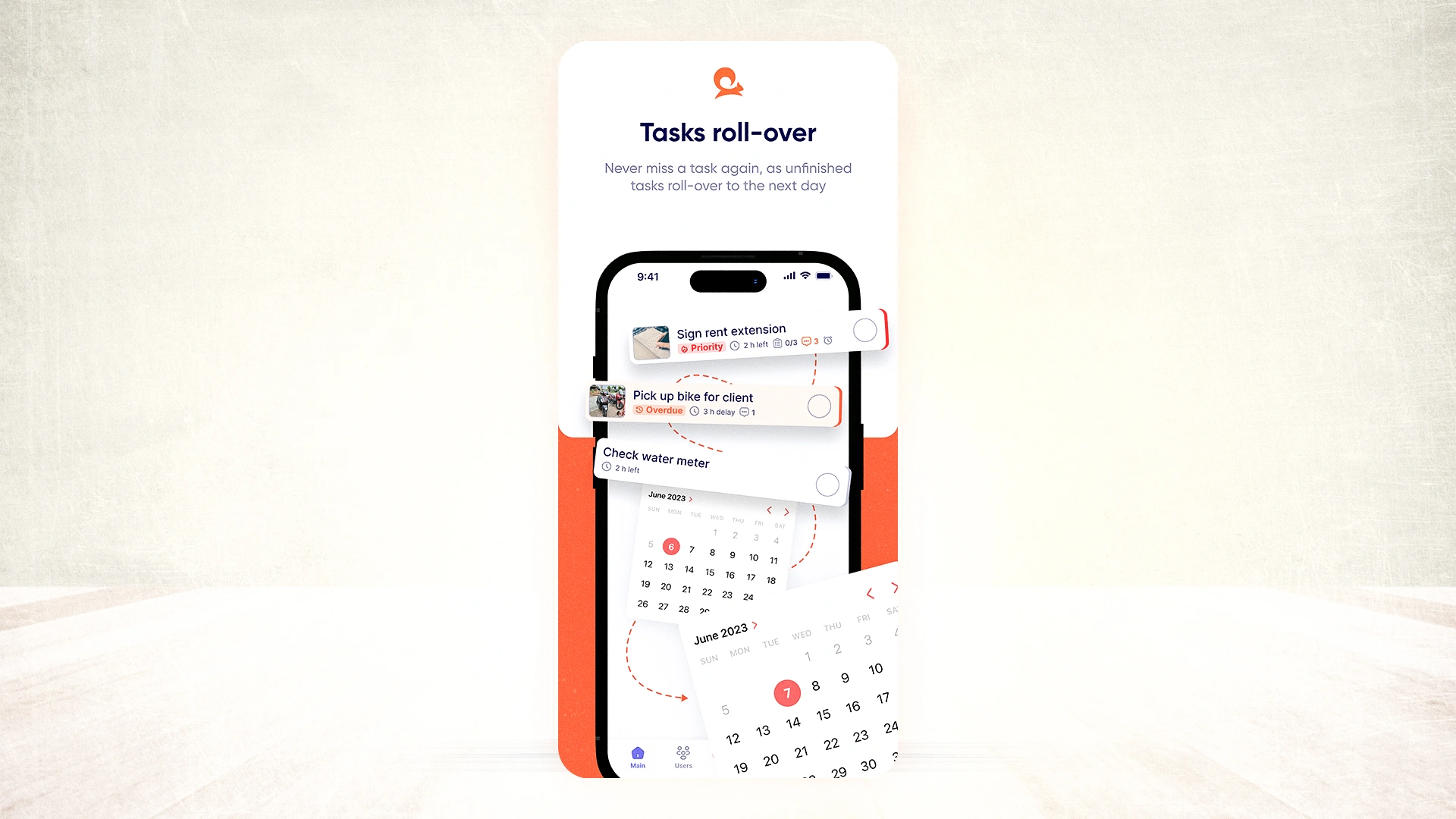
Tasks reappear when needed, without manual re‑entry. This keeps recurring work structured and visible to staff.
Integration and automation trends
Integration is the name of the game. Most productivity apps now offer AI-powered automation, linking your calendar to your to-do list with a single click. This helps bridge the gap between time management and task management, ensuring nothing falls through the cracks.
For instance: Automated reminders pop up for upcoming tasks, triggered by calendar events. Or, your project milestones update in real time as you wrap up meetings. The best part? You spend less time managing your tools and more time getting work done.
Tips for seamless integration:
- Test integrations with a small project before full rollout.
- Prioritize tools that sync smoothly with your existing workflow.
- Use analytics to spot bottlenecks quickly.
Successful time management and task management comes down to clarity and intent.
Popular time management techniques, translated for team leaders
Search results for time and task management are dominated by personal productivity rules. They are worth knowing even as a team leader: your people ask about them, productivity advice travels through teams fast, and each one maps cleanly onto a team habit.
Several of these rules circulate with variant word lists, so treat the definitions below as the common versions.
What are the 5 P's of time management?
The most common version lists Prioritize, Plan, Prepare, Pace, and Persist: decide what matters first, put it in the calendar, set up what you need, work at a sustainable rhythm, and keep going when energy dips.
For a team, the five P's translate into standards: a prioritized task list everyone can see, schedules published ahead of shifts, equipment and instructions prepared before work starts, workloads paced across the week, and routines that persist without manager intervention. That last P is exactly what repeat-pattern task systems automate.
What is the 3-3-3 rule for time management?
The 3-3-3 rule divides a workday into three hours of deep focus on your most important task, three shorter tasks (about 30 minutes each), and three maintenance activities such as emails or messages. It protects the big rock from the small ones.
Team version: give crews three mission-critical tasks with photo standards, three scheduled mid-size jobs, and three small routine checks, and the day sorts itself into importance order instead of arrival order.
What is the 7 8 9 rule?
The 7 8 9 rule structures the workday around seven minutes of planning, eight hours of focused work, and nine minutes of breaks or review. Its point is proportion: a small amount of planning and recovery protects a large amount of execution.
For frontline teams, the morning huddle (seven minutes), the shift (eight hours), and the end-of-day photo log and handover (nine minutes) follow exactly this shape.
Is time management an ADHD thing?
Time management difficulty is strongly associated with ADHD, and much of the popular advice in this space (body doubling, the Pomodoro technique, visual timers, external structure) was developed for brains that struggle with internal time sense.
The insight generalizes to teams: external, visible structure beats internal discipline. Picture-based task lists, visible schedules, reminders tied to tasks rather than memory, and photo confirmation are all external structure, which is why they help far beyond the ADHD community: for tired people, for new hires, and for teams working in a second language.
Why time management and task management both fail without the other
The techniques above are time-side habits. Alone, they produce beautifully planned days around work that is ambiguously defined. The reverse failure is just as common in field businesses: detailed task lists that never get scheduled, so everything is urgent and nothing finishes.
The fix is structural, not motivational: one system decides when (roster, calendar, shifts), another decides what and verifies it (picture-based tasks with photo proof), and the two meet in a short daily review. Managers who run this split report the same outcome: fewer check-ins, because the schedule answers when and the photo proof answers whether.
Steps to improve your time and task management
For yourself:
- Separate planning sessions: Spend a few minutes each day on time management (blocking hours) then spend a few minutes on task management (choosing what goes into those hours).
- Use one primary calendar and one primary task tool: Avoid scattering tasks across five apps.
- Ask these questions daily: “Is my calendar realistic for today?” “Do I know the next concrete step for each important task?”
For your team:
- Clarify ownership: Who owns schedules and shifts? Who owns task templates and standards? Delegate both explicitly.
- Pick dedicated tools: One tool/system for rosters & schedules another tool for tasks and accountability.
- Make tasks visual and verifiable: Wherever possible, define tasks in pictures plus short text. Use photo proof for high‑risk or high‑value work.
Latest News

Have questions?
.svg)
Team management, simplified.

“It affects my personal life a lot. I can manage my team and my work remotely, so I have more time being a mother.”
